What is AI?
AI is where machines, tools or services perform tasks that typically require human-like thinking - like learning, reasoning, solving problems, recognising patterns, and generating text.
AI works in different ways. AI systems use algorithms to process and analyse large amounts of information quickly. Some follow set rules, while others learn from data to improve their results. Machine learning is one type of AI that finds patterns to automatically improve their performance over time.
AI tools such as ChatGPT, Claude or Google Gemini can act as assistants that help draft or summarise information. Others act as agents that can take actions on your behalf across multiple systems, such as updating records or sending emails. Agentic AI tools, such as Gumloop, Relay.app and StackAI can save time and automate routine work, but it also carries higher risks.
You may already have access to AI tools in your business through standard or existing applications. For example, Microsoft (Copilot), Google Workspace or Canva. Like any tool, AI has limitations – accuracy can vary and you should always have a person check important outputs.
Why is AI important to businesses?
AI isn’t just for big businesses and big budgets.
AI can be applied in practical ways in the day-to-day running of your business, providing an instant boost in productivity by saving you time, reducing costs and freeing up your day for higher-value work.
As the AI sector grows and shapes how New Zealand does business, adopting it can help you keep up with your competitors – or even stay ahead of them.
AI is a tool like any other, you'll need to assess if its right for your business and how it could add value. With a small amount of learning and experimentation, it can provide a simple but effective step up for your business.
Build your AI skills
The first step to getting started with AI in your business is gaining the skills you need for success, whether that's learning the basics or building on your existing knowledge.
It’s also important to have an experimental mindset when using AI, because you might need to learn by trying something, making mistakes, and trying again.
If you’re starting out with AI, make the most of free training and resources.
You can also connect with your own industry networks and local Chamber of Commerce, to learn from other business owners and their own experiences with AI.
Using AI in practice: Tilley & Patton
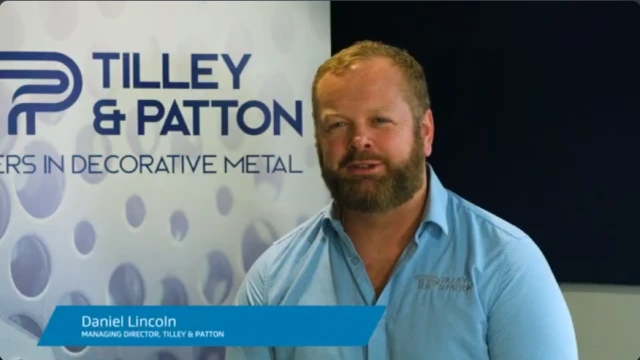
Transcript
[Audio/Visual: Upbeat music starts playing as a blue introduction screen opens and the white text “business.govt.nz presents” is displayed in the centre of the screen. The music plays throughout the video.]
[Visual: The text changes on the blue screen to “Using AI in practice: Tilley and Patton” displayed in white text in the centre of the screen. The screen changes to show the presenter, Daniel, on the right of the screen, with a company poster on the left in the background.]
My name is Daniel Lincoln. I’m the managing director of Tilley and Patton, based here in Wellington.
[Visual: Screen changes to display the front of the Tilley and Patton Wellington office.]
We specialise in sheet metal manufacturing.
[Visual: Screen changes to a birds eye view of the same office and warehouse attached to it, with workers walking around the car park and van delivering goods.]
That can cover architectural metalwork, construction companies, infrastructure or large government projects.
[Visual: Screen changes back to Daniel on the right of the screen, with a company poster on the left in the background.]
We use AI every day.
[Visual: Screen changes to a close up view of a hole punching machine working on a sheet of metal.]
We use it for data collection, managing stock, managing staff across all facets of our business really.
[Visual: Screen changes back to Daniel on the right of the screen, with a company poster on the left in the background.]
[Visual: Screen changes to a close up view of another hole punching machine working on a sheet of metal.]
We use Co-pilot to look after Office365. That’s taking care of Outlook, Excel, Word.
[Visual: Screen changes back to Daniel on the right of the screen, with a company poster on the left in the background.]
It does some great PowerPoint presentations really really quickly.
[Visual: Screen changes to drone view of the inside of the warehouse, showing metal workers walking around their stations working.]
We use ChatGPT for data analysis, drawing rendering.
[Visual: Screen changes to a birds eye view of a worker using a welding machine on a piece of metal. Welder sparks are seen.]
So we can render something that we’ve drafted or drawn so the client can see the finished product in a real-world situation before we’ve even made it.
[Visual: Screen changes back to Daniel on the right of the screen, with a company poster on the left in the background.]
[Visual: Screen changes to a close-up view of a worker using a welding machine on a piece of metal. Welder sparks are seen.]
[Visual: Screen changes to the inside of a lazer metal cutter, cutting holes into metal.]
AI’s reduced a lot of repetitive work, some tasks that could have taken hours now take minutes,
[Visual: Screen changes to a close-up view of a worker using a welding machine on a piece of metal. Welder sparks are seen.]
and it’s feed up people to do other things.
[Visual: Screen changes back to Daniel on the right of the screen, with a company poster on the left in the background.]
MBIE’s helped us a lot with our AI journey. They’ve been very supportive. We’ve been named as one of the partners in the AI Innovator project which has freed up some funding for a Quantity Surveyor module that’s helping our Quantity Surveyor team take clients’ drawings, take the data out of them quicker, and get a more accurate quote to our clients faster.
[Visual: Screen changes to closer drone view of the inside of the working stations in the warehouse, showing metal workers walking around their stations working.]
[Visual: Screen changes to closer drone view one of the hole punching machines punching holes in a large sheet of metal, operated by a worker.]
[Visual: Screen changes to close-up view of a worker using an electrical sander on a piece of metal which is creating sparks.]
The other part of that module is a web bot for chatting on one of our websites around some very specific product data that we have.
[Visual: Screen changes back to Daniel on the right of the screen, with a company poster on the left in the background.]
[Visual: Screen changes to close-up of a worker working on a machine, then a wider view of the warehouse with workers operating fork-lifts.]
People ask me, how do I started with AI?
[Visual: Screen changes back to Daniel on the right of the screen, with a company poster on the left in the background.]
Well, just choose one small task in your business, give it to AI and just see what results you get.
[Visual: Screen changes a drone view of the warehouse and workers walking around and working at their stations.]
Most importantly, I think we need to remember AI is not here to replace people, it’s here to support them.
[Visual: The screen fades to the full blue outro screen. The upbeat music swells as the business.govt.nz logo displays in the centre of the screen. The Ministry of Business, Innovation & Employment, Hīkina Whakatutuki logo and the New Zealand Government, Te Kāwanatanga o Aotearoa logo fades into view at the bottom left and right of the screen.]
How to get started
If you’re unsure how and where AI can benefit your business, the best way to find out is through a pilot or test. Pick one area of your business and one task that feels repetitive – and use this as your starting point for trialling AI. For example, you could trial AI to draft first versions of customer emails, create summaries of meeting notes, or turn rough bullet points into a polished document.
Try a general‑purpose tool you already have access to, review the result, and build from there.
When starting out with AI, you should follow a Human in The Loop (HITL) model. This means that you always have a person in your processes responsible for operating AI tools, checking their outputs and making final decisions.

Take a responsible approach
Using AI responsibly means you have the knowledge and processes in place, to ensure it has a positive effect on your business and society – not a negative one.
Common risks you’ll need to manage include:
- incorrect answers that sound confident, commonly referred to as hallucinations
- privacy and data security
- potential bias
- over‑reliance on AI without a person reviewing results.
Once you have the right processes in place to support responsible AI use, you'll need to prioritise employee training, so your staff know how to follow them.
Implementing AI in a responsible and ethical way not only benefits your business practices, but it also builds trust with your staff, stakeholders and customers – ensuring long-term success for your AI initiatives.