Cyber security protects what’s important
Cyber security is the protection of information, devices and systems from unauthorised access, attacks and other threats. It uses technology, processes, and best practices to keep sensitive data safe.
Strong cyber security is important for businesses because it prevents data breaches, protects customer information, and keeps business operations running smoothly. It also helps build trust with customers and protects your business’s reputation.
These are common threats to a business’s data and systems:
- Data breaches: when private information is released into an unsecured environment, on purpose or by accident.
- Malware: malicious software designed to damage or harm a computer system. Ransomware is a type of malware that denies a user access to their files or computer systems unless they pay a ransom.
- Denial-of-service: attacks that aim to restrict or impair access to a computer system or network, usually to prevent legitimate users from accessing websites or payment services.
- Insider threats: someone who has inside knowledge threatens your business.
Take steps to avoid scams and fraud
Falling prey to a scam or cyber-attack can be a blow to your business. It may:
- cost time and money
- damage your reputation
- have legal consequences for your business.
There are a few things you can do to protect your business, employees and customers from scammers and hackers. Knowing the threats is step one.
Hackers target your online systems and databases. They may try to directly control computers, steal private information or install unwanted software without you knowing.
Scammers try to convince you they’re someone they’re not. They’ll contact you out of the blue with a surprising request, offer or demand — hoping to catch you off guard.
Once you know how to identify these risks, you and your employees can take steps to avoid them. These may involve:
- regularly backing up data
- creating policies to protect passwords and data
- training staff to recognise risks.
Protect personal information
Personal information is a common target of scams and cyber-attacks. It includes any information you hold about any specific individual, such as:
- contact details
- customer information
- personnel records
- payment data.
Everyone has a right to keep their personal information private. That means you need to protect the information they give you. More sensitive information requires stronger protection.
Leaking personal information, even if you don’t mean to, may impact your business. It can hurt your brand and reputation, and you may face legal consequences.
Protect your business data and IT systems
As well as protecting personal information, you also need defences in place to protect your business data and systems from cyber security threats.
Common threats include:
- data breaches — information escaping your control
- malware — malicious software installed on your systems
- denial-of-service — attacks that overwhelm your systems, so they stop working.
Allowing hackers to access your data or interfere with your IT systems can cause major disruptions, which impact your income and hurt your reputation.
Take time to learn and implement strong cyber security processes.
You may need to:
- assess your risks and weaknesses
- put extra security measures in place
- provide training for your staff
- create or update internal policies.
Better defences will give you peace of mind and help you recover if something goes wrong.
Protect your data and systems
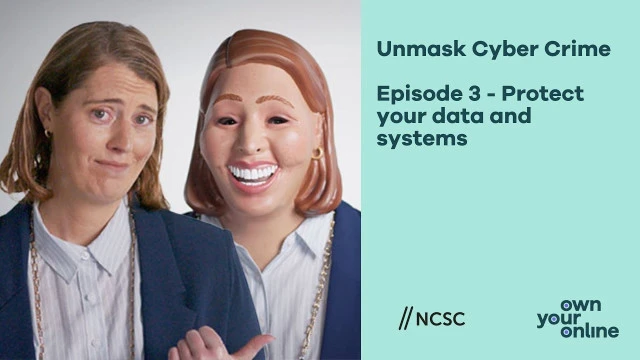
Transcript
Episode 3:
Unmask Cyber Crime: By protecting data & systems
[Visual] The screen opens up to display our unmasked real leader. Throughout the episode you will see our unmasked real leader on the right side of the screen and our masked fake leader, whose mask looks like the real leader’s face, on the left, sometimes they will appear solo and sometimes side-by-side. The masked fake leader will often mimic the unmasked real leader.
[Audio: Real Leader] Cyber scammers are here, constantly targeting those who don't lock down their systems. To make the calls you should be making.
[Audio: Fake Leader] You have so much data and information that's valuable for me.
[Visual] Unmask Cyber Crime intro graphic - Episode three - Protect Your Data and Systems
[Visual] Montage of the unmasked real leader and fake leader flickering through different outfits to represent different business Industries Including, real estate, accounting, construction, retail, hospitality, floristry and farming.
[Audio: Real Leader] Like in a real estate firm, where the data and information you hold on behalf of your customers and clients are super sensitive – and just the kind of details cyber scammers are after.
[Audio: Fake Leader] Yep.
[Audio: Real Leader] Their names, email addresses, and personal information are great ammunition for phishing campaigns.
[Audio: Fake Leader] I can impersonate you to your friends or family - or your bank!
[Audio: Real Leader] It isn't a great look for any business if your clients or partner's personal data gets released publicly.
[Audio: Fake Leader] It's pretty embarrassing.
[Audio: Real Leader] They could even lock you out of your systems and blackmail you, to either get the data back or to stop them from releasing it publicly.
[Audio: Fake Leader] I accept cash.
[Audio: Real Leader] But….
[Visual] Montage of the unmasked real leader and fake leader flickering through different outfits to represent different business Industries Including, real estate, accounting, construction, retail, hospitality, floristry and farming.
[Audio: Real Leader] …for any business, there are things you can do to protect the data you've been trusted with.
Take note of all the data you capture, and review it regularly so you don't possess information you don't need.
[Visual] Graphic on screen - Take note of all data and review It regularly
Create a policy for how you collect, handle and store sensitive customer data.
[Visual] Graphic on screen - Create a policy for how you collect, handle and store data
[Audio: Real Leader] Then, assign ownership of the information to someone in your business.
[Visual] Graphic on screen - Assign ownership of the Information you hold
[Audio: Fake Leader] No no, there's no need.
[Audio: Real Leader] You want to keep your systems secure. If your software is vulnerable, scammers have no shame in jumping in to exploit them or steal your data.
[Audio: Fake Leader] If I learn of a vulnerability in your systems, I’ll exploit it.
[Audio: Real Leader]
It’s important to set up your software to update automatically. Developers are constantly upgrading their code, to increase your cyber security, and fix vulnerabilities.
[Audio: Fake Leader] You don't need to be that organised.
[Audio: Real Leader] There are a range of things that need updating, including wifi routers, website platforms and anything that connects to the internet.
For anything that doesn't update automatically – like any systems, data or software – make an inventory of them and put a system in place to make sure that someone is updating all of them manually.
[Audio: Fake Leader] Nahhhh don’t worry about doing that….
[Audio: Real Leader] But, there are things you can do to help your business recover if it happens to you.
Make sure you are regularly backing up your business data, using the 3-2-1-1 method.
[Visual] Graphic on screen 3, 2, 1, 1
[Audio: Fake Leader] You don't know what that is? Don't worry about it…
[Audio: Real Leader] Which is simply that your organisation must have 3 copies of back up data.
[Visual] Graphic on:
- 3 copies of back up data
- 2 types of storage media
- 1 copy off-site
- 1 physical back-up offline
[Audio: Fake Leader] Three?
[Audio: Real Leader] On two different types of storage media.
[Audio: Fake Leader] Hmm?
[Audio: Real Leader] With one copy off-site, for example in alternative cloud storage.
And one copy of a physical back-up kept offline such as a USB stick.
[Audio: Fake Leader] Go ahead and skip those steps.
[Audio: Real Leader] This makes sure these guys can never force you to pay to restore everything your business has worked hard for.
[Audio: Real Leader] This was quite a lot of info, so for a full run down of how to keep your data and systems secure visit www.ownyouronline.govt.nz.
[Visual] Graphic on screen ownyouronline.govt.nz
In the next video, I'll help you Unmask Cyber Crime by tidying up your website and social media hygiene.
[Visual] Unmask Cyber Crime graphic leading to end screen slide with Own Your Online - Learn how to protect yourself online at ownyouronlinw.govt.nz/business.
Act quickly if your business is hacked
If you notice your IT systems behaving unusually, you may have been hit by a hacker. Slow computers, warning messages and password issues are all signs of a possible cyber attack.
When that happens, you need to identify and fix the problem — and then take steps to prevent it from happening again.
You’ll need to act quickly to protect your business. Ignoring the problem may wind up costing you money. A hack could even put your whole business on hold until it’s fixed.
Once you’ve contained the problem, think about how you can learn from it and prepare for the future. You may need to:
- improve your cyber security
- put better processes into practice, and train your staff
- notify affected people and report the data breach.