

What it means to have an online presence
An online presence, such as a website or social media profile, can be your shop window, retail outlet, information centre and marketing tool. It’s available 24 hours a day to customers around the world.
No business, whether you’re part-time, self-employed, a start-up or you have a large staff, can afford to be without a digital presence.
Before you start
- Step01
Think about why you want a website
To keep costs down, your site should only do what you need it to.
Ask yourself if your business is:
- local or national
- national or international
- in retail or is a service provider.
For example, you might want a website to:
- market your products or services
- generate sales leads
- sell products or services
- tell people outside your area or country about you and your business.
- Step02
- Step03
Get a domain name
This is your unique online address. Ideally, this will be your business name or a keyword related to your business. For example, ledgebuilding.co.nz.
To get a domain name:
- use our ONECheck tool to see if one that matches your business name is available
- if it is, do an online search to find a provider
- register your domain.
If you want to operate overseas or attract overseas customers, think about a domain name ending in .com or other country code. For example, com.au or co.uk.
- Step04
Get a website and an email address
A well branded website and email address should link to your domain name – for example, hello@ledgebuilding.co.nz.
Transcript
Video transcript: What is web presence?
[Audio/Visual: Upbeat music starts playing as the presenter is shown in the centre of the screen with wording the “What is a web presence?” displayed in white text centrally at the bottom of the screen. The text “What is a web presence?” disappears from screen. Music plays throughout the video.]
[Visual: The screen zooms out slightly to show the presenter at a wider angle. An animation of the earth representing the internet inside a circular green background appears on the left-hand side of the presenter and stays in place.]
What is a web presence? The internet, this guy's been around for a wee while now.
[Visual: The text “1991” appears in white text beneath the animation of the internet and stays in place.]
In fact, it became publicly available in 1991, but it's not going anywhere anytime fast.
[Visual: The animation and the text “1991” disappear from screen. Screen changes to show a network of lines representing the high-speed communication capability of the internet.]
The percentage of the population connected to the internet has rapidly grown over recent years,
[Visual: The screen changes to show the presenter in the centre of the screen.]
as even the most disconnected communities became connected through new forms of satellite connections and cheaper Wi-Fi.
[Visual: The screen changes to show a person sitting inside the back seat of a moving vehicle taking a picture of themself with a cellular phone. The screen changes to show two people sitting at a table and talking while looking at a laptop. The screen changes to show two people sitting on a couch while smiling and laughing at a laptop. The screen changes to show a person sitting with a laptop on their lap and using the mousepad to scroll through online goods, the laptop screen shows the website Amazon.com. The screen changes to show a zoomed in picture of a computer mouse pointer hovering over a “search” button. The screen changes to show a person’s hands holding a cell phone and scrolling though a list off online applications.]
These days we're working via the internet, socialising via the internet and more of us than ever before, do our online shopping there too. Food shopping, clothes shopping, Christmas shopping, the internet just provides us with more convenience and more choice.
[Visual: The screen changes to show the presenter in the centre of the screen.]
Small businesses must adapt to this new way of doing business and the foundation of how they do this is by building a web presence. But what is a web presence? Well, your business's web presence is everything and anything about your business that lives online.
[Visual: An animation of a computer screen attached to keyboard inside a green circular background appears on the right-hand side of the presenter. The animation disappears from screen.]
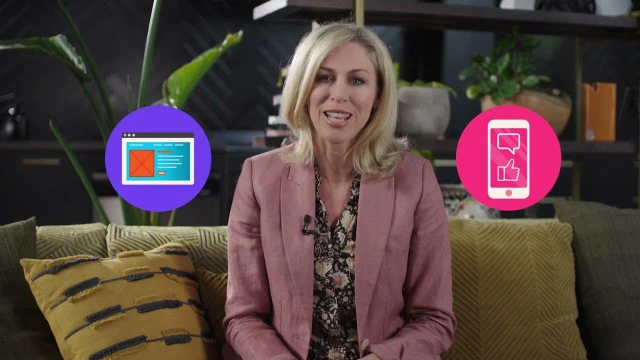
[Visual: An animation of a website home screen inside a purple circular background pops up on the left-hand side of the presenter. An animation of a cell phone with a bubble speech and a thumbs-up icon inside a pink circular background pops up on the right-hand side of the presenter. An animation of a speech bubble and a three-star review inside a green circular background pops up underneath the presenter. The animations all disappear from screen.]
This includes things you create such as your website or social media pages, as well as what other people say about you, such as customer reviews. Taking an active role in crafting your presence puts you in control of how you're perceived online and this, in turn, helps you influence consumer behaviour and ultimately sales.
[Visual: An animation of a bar graph with an upward arrow and a dollar sign figure inside a circular orange background appears left-hand side of the presenter. The animation disappears from screen.]
Businesses that don't have an online footprint, on the other hand, miss out on that opportunity to capture attention, expand their reach, build trust, and grow sales.
The one important thing to remember is that different facets of your online presence serve different purposes. Your website is the heart of your web presence and should be home to everything your customers need to know about your business.
[Visual: The screen changes to show an example of a website homepage showing the business name, a link to the company’s social media, and images of their business. The screen shows the user navigating to the tab named “contact”, the “contact’’ page shows the company’s email, phone number, google map location, address, and additional notes about access. The screen changes to show another example of a website homepage with the option to “book now” in the menu. The screen changes to show the “book now” page which shows rates, information, and the dates available to book a tour.]
From your basic information, such as where you're located or who you are, right through to a booking system, ordering a parcel, tracking details.
Your web presence is likely to include online ads you put out to the worldwide web through social media to help you reach new customers and stay relevant to existing customers.
[Visual: The screen changes to show the presenter in the centre of the screen. Two animations appear on either side of the presenter. The animation on the left-hand side of the presenter shows an open laptop screen and a megaphone inside a circular blue background. The animation on the right-hand side of the presenter shows an open laptop screen with a thumbs-up icon, two speech bubbles with “#” and “@” inside, inside a circular green background. The animation both disappear from screen.]
[Visual: The screen zooms out slightly to show the presenter at a wider angle. Four circular animations appear of the Facebook, LinkedIn, Instagram, and Twitter logos, two on each side of the presenter. The logos all disappear from screen.]
And then there are your social media pages, which are great ways to build a real connection and relationship with customers,
[Visual: The screen zooms in slightly to show the presenter at a closer angle.]
strong relationships that make them choose you over the competition even when the offer may be better in some way elsewhere.
[Visual: The screen zooms out slightly to show the presenter at a wider angle. The screen changes to show an example of a business Facebook page. The screen shows the user navigating through the page’s Facebook timeline, showing online comments and reviews from customers. The screen changes to show an example of a company’s Google My Business listing, showing google reviews and ratings from customers.]
And another facet of your web presence are online reviews, which can be found on social pages or your Google My Business listing.
[Visual: The screen changes to show the presenter in the centre of the screen.]
These reviews serve as social proof that your brand is legitimate, active, and good at what it does. So there you have it, your web presence is everything you do to take your business to the world. Make sure your first impression is the one that makes a great impact.
[Visual: The screen changes to show a blue background with the Digital Boost logo in white in the centre of the screen and the text “Want to know more? Visit digitalboost.co.nz” in white below. The New Zealand Government logo is in white in the bottom right-hand corner of the screen.]
Your website
Your first website doesn’t need to be expensive. If you’re self-employed or a small business, you may only need a simple, clear and attractive homepage to start with. Several online services offer free and low-cost templates ideal for a site with just a few pages of information and images.
As you grow, your website should grow too. When it’s time to build a new site, get a professional developer and designer involved. Before they start work, be clear about what you need the site to do and how much you can spend.
Whatever the size of your site, follow these rules:
- Keep all information up to date.
- Add new content regularly to keep the site fresh – search engines like Google give higher rankings to sites that do this.
- Make content useful – not everything should be an advertisement for your business.
- Use good quality images of what you do and sell – avoid generic stock photos.
- Keep words to a minimum and use them wisely – consider paying a professional writer.
Making your website mobile friendly
Mobile-friendly websites rank higher in search results. 80% of New Zealanders access the internet from their mobile phones. Design your website with both mobile and desktop users in mind. Think about what platform your customers are most likely to visit your website from.
Keeping your website up to date
According to research by Adobe, around 40% of people will stop engaging with a website if the content or layout is unattractive. Keep your website and its content up to date, so it stays relevant for your customers.

Beauty of email
Debbie used her personal email for both home and business. As her beauty company grew, she needed a more professional setup. She registered organicbeauty.co.nz and created separate email addresses for sales, admin, invoicing and each staff member, giving her business a more credible and organised online presence.
How customers can find you online
- Step01
- Step02
- Step03
Ask your customers
Connect with your customers to see what they want from your website, and what they like and don’t like. Be prepared to review and change what’s not working well.
- Step04
Promote your website
Look for opportunities to get your domain name in front of customers. You can promote yourself or your business with your website, address, and opening hours with Google’s Business Profile.
Strengthening your online presence
Once you’ve established your online presence, keep it up to date. This includes your:
- website – to make your business look credible
- digital marketing – to connect with your customers
- online tools – to increase productivity.
Learn more about
Social media
Social media can be a great way for you to talk to your customers and build your brand.
Social media can help you:
Think about:
Don’t overuse your social media by posting too much or posting irrelevant information.
Remember: